Physical Address
304 North Cardinal St.
Dorchester Center, MA 02124
Physical Address
304 North Cardinal St.
Dorchester Center, MA 02124

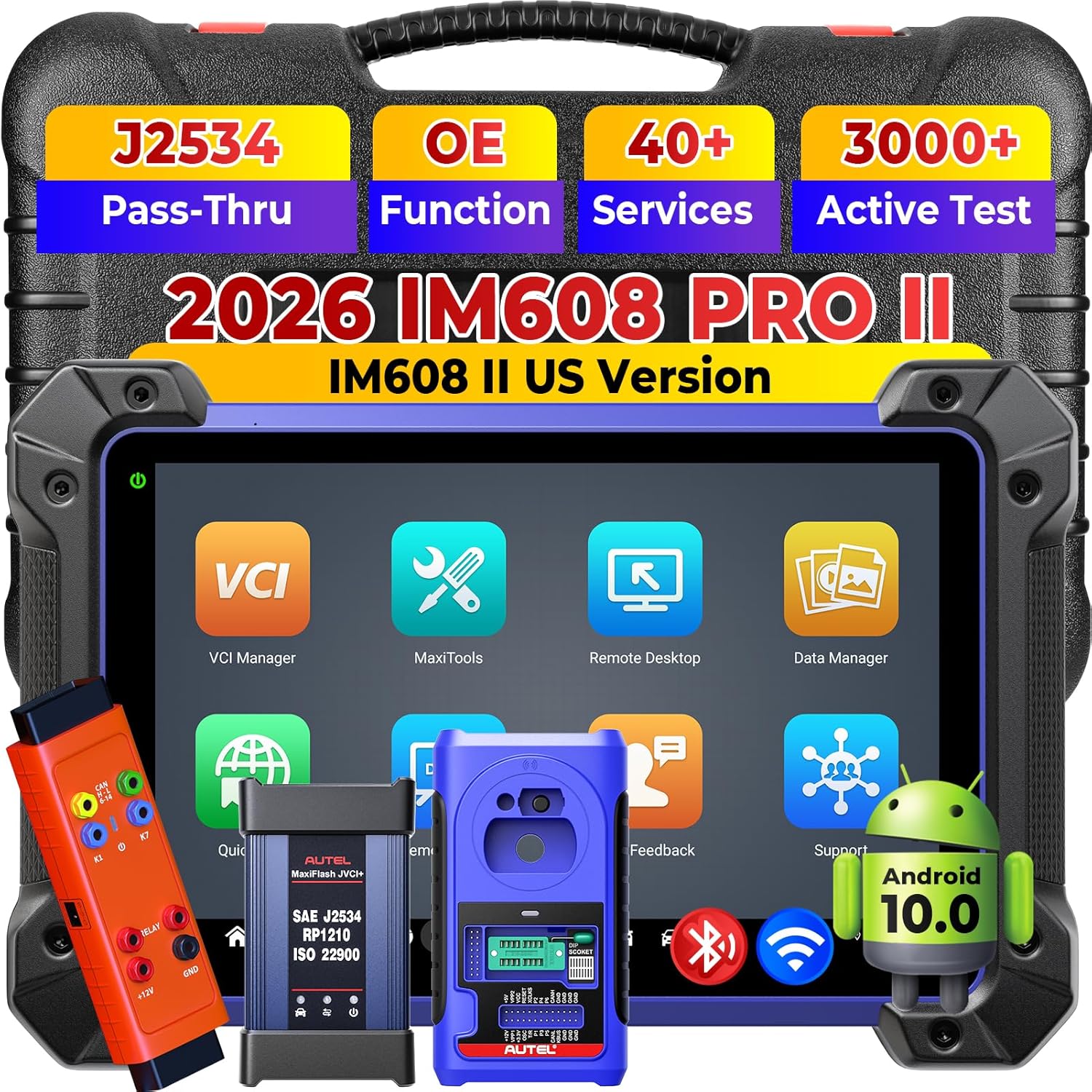
The Autel MaxiI-M IM608 PRO 2 is a high-end automotive diagnostic scanner positioned as a direct upgrade to the IM608 PRO and a more affordable alternative to the Elite II Pro. It targets professional technicians and serious DIY enthusiasts who need OE-level diagnostics, advanced bi-directional controls, and a wide range of maintenance services. The standout innovation here is the inclusion of CAN FD and DoIP protocols, which extend coverage to newer vehicle models that use these modern communication standards. Autel, a leading brand in the diagnostic tool industry, has a strong reputation for producing reliable and feature-rich scanners. You can learn more about Autel’s history and product lineup on their official website. This Autel IM608 PRO 2 review will break down everything you need to know before making a purchase.
| Specification | Detail |
|---|---|
| Operating System | Android 10.0 |
| Processor | Qualcomm SDM660 Octa-Core |
| Memory | 4GB RAM / 128GB Storage |
| Screen Size | 10.1 Inches |
| Rear Camera | 16 MP |
| Protocols | CAN FD, DoIP, J2534, D-PDU, RP1210 |
| Wireless | WiFi (for printing & updates), Bluetooth |
| Languages | 21+ Languages |
| Vehicle Coverage | 90% of vehicles from 1996-2026 (150+ brands) |
| Warranty | 12-Month Warranty |
Considering these powerful specs, it is clear that the Autel IM608 PRO 2 is built for serious work. If you are comparing high-end scanners, you might also find our best Autel diagnostic scanner guide helpful for understanding the full lineup.
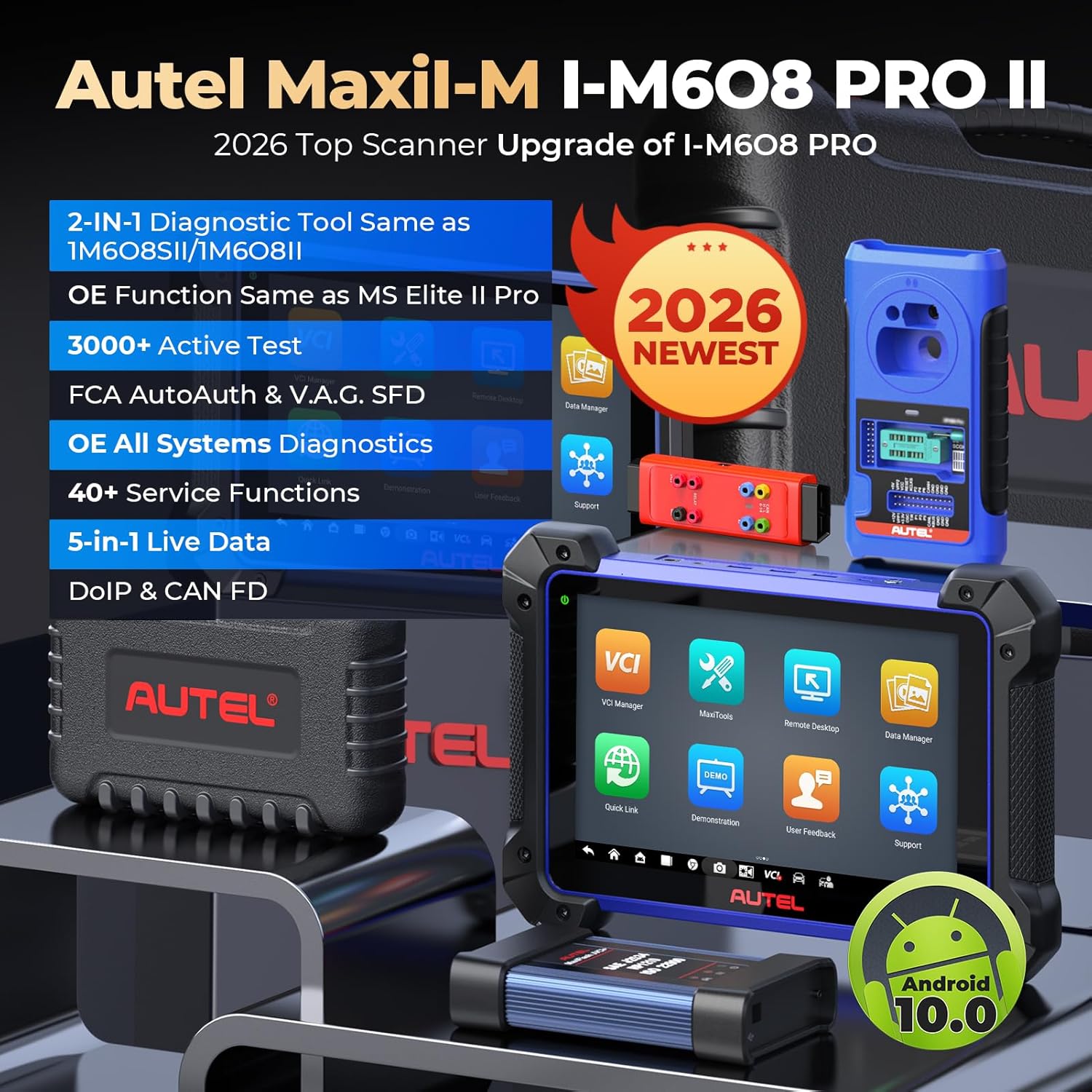
Opening the box reveals a comprehensive kit. Inside you will find the main tablet unit, the VCI (Vehicle Communication Interface) module, a main diagnostic cable, a USB cable, a power adapter, a quick start guide, and a durable carrying case. The packaging is well-organized and provides solid protection for the sensitive electronics. First impressions of the build quality are very positive. The tablet feels sturdy in the hand with a premium feel, and the VCI module is compact yet robust. While the kit is comprehensive, you will need to provide your own vehicle-specific adapters if you work primarily on non-standard OBD-II vehicles, but most standard cars are covered right out of the box. This thorough unboxing experience solidifies the value of this best Autel diagnostic scanner.
First, charge the tablet fully using the included power adapter. Then, connect the VCI module to the vehicle’s OBD-II port. Pair the VCI with the tablet via Bluetooth or connect directly using the USB cable for a wired connection. Power on the tablet and follow the on-screen prompts to select your language and connect to WiFi.
After setup, you will see the main dashboard. It is intuitive, with large icons for diagnostics, service functions, and vehicle identification. Take a moment to navigate through the settings menu to adjust screen brightness, set up your shop profile, and check for available updates. The first update may take some time, so ensure you have a stable internet connection.
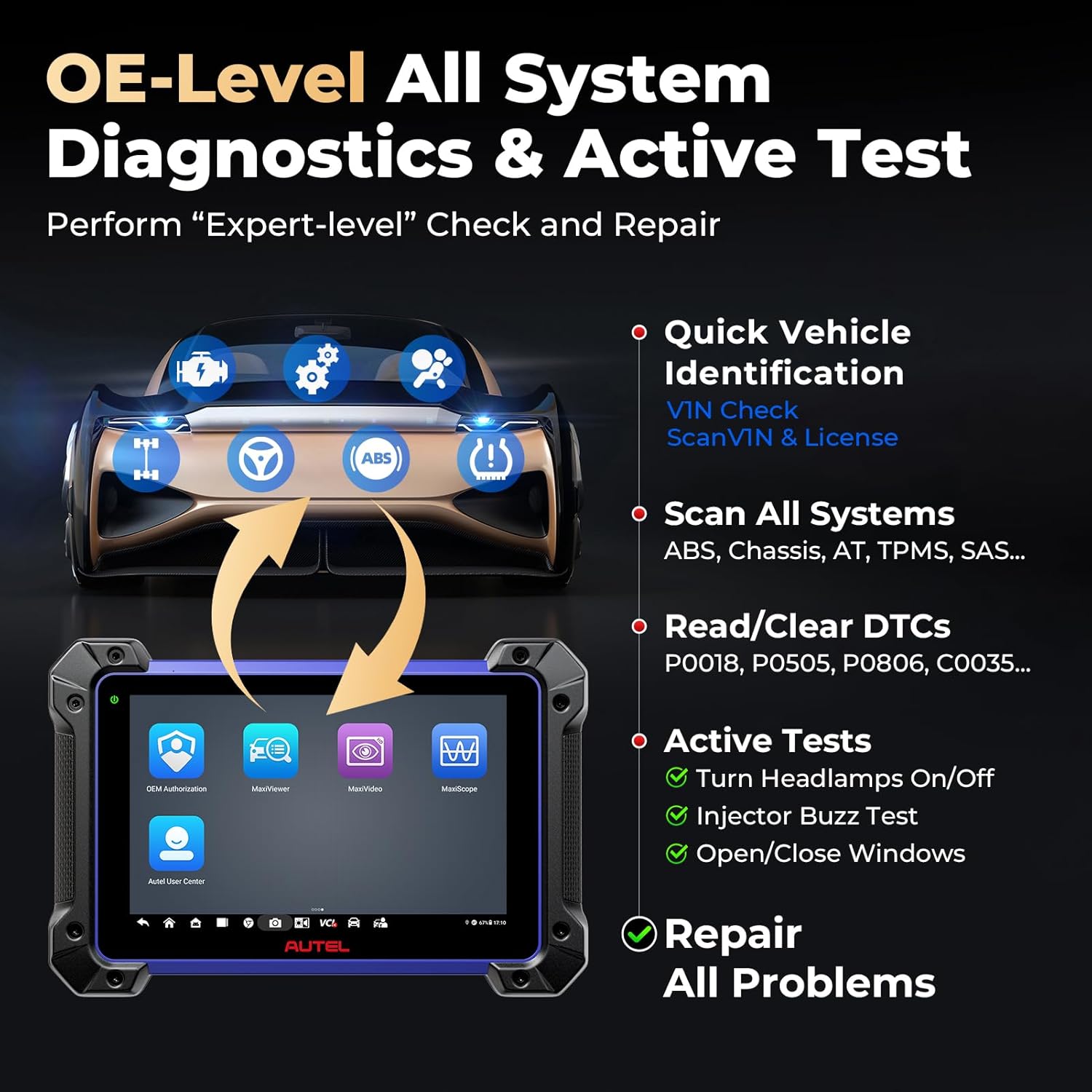
To perform a diagnosis, select “Diagnostics” and choose the vehicle make, model, and year. The scanner will automatically detect the VIN. Use “AutoScan” to quickly run a full system check. For targeted troubleshooting, select the specific system like Engine or ABS. You can view live data in graph or list format and perform active tests by choosing “Bi-Directional Control.”
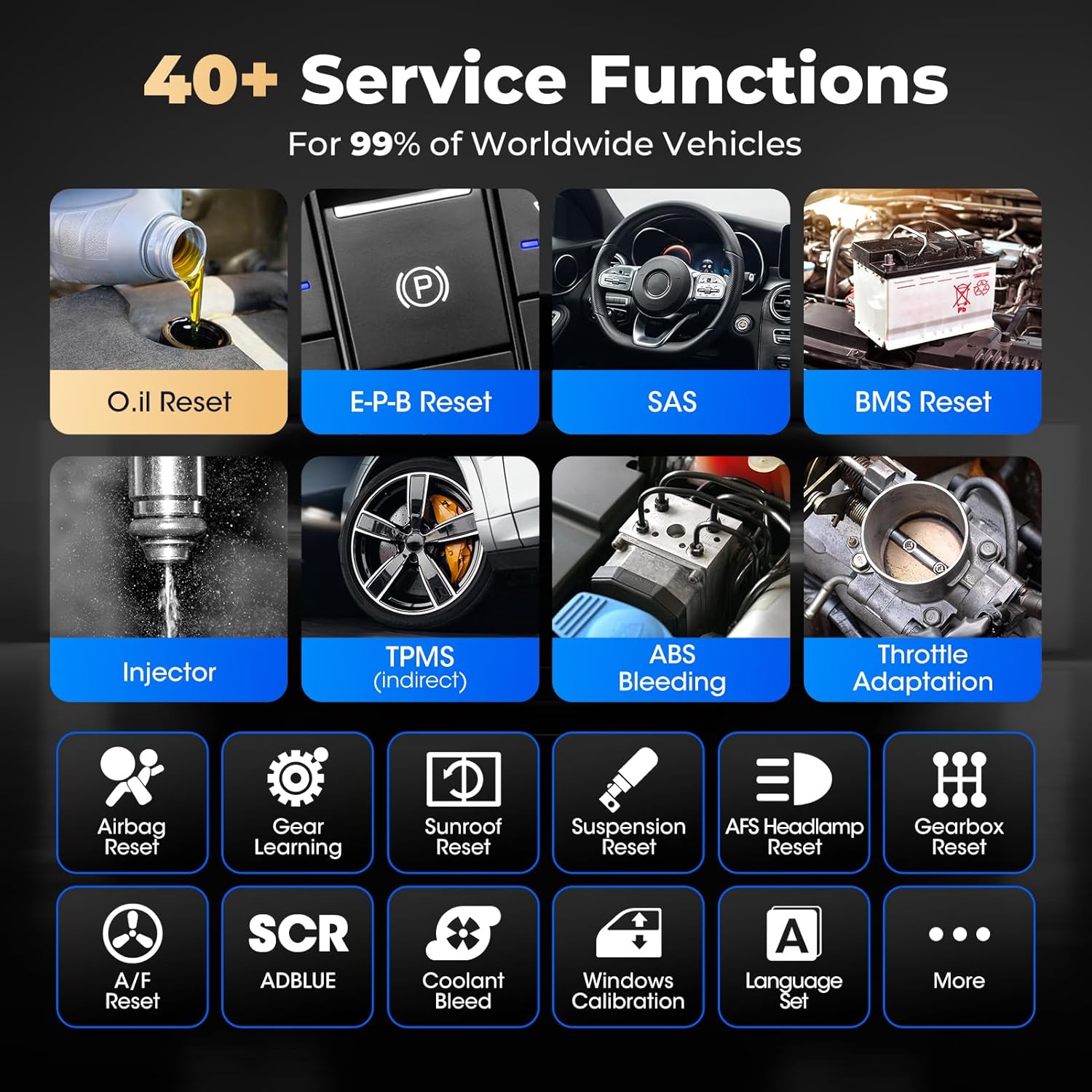
Experienced users should explore the “Service” menu to code new batteries, reset oil life, or calibrate steering angle sensors. Use the “Online Coding” feature for module programming when needed. Another pro tip is to use the “Report” function to generate PDF summaries of your scans, which you can print directly over WiFi.
Keep the tablet screen clean with a microfiber cloth. Store the unit in the provided case when not in use to prevent dust and impact damage. Avoid exposing it to extreme temperatures. Regularly check for both firmware and software updates to ensure you have the latest vehicle coverage and bug fixes.
If the scanner fails to connect, ensure the VCI is powered and the vehicle is in ignition mode. If an update fails, restart both the tablet and your router. For compatibility questions, Autel recommends sending your VIN to their support email. For persistent issues, the 24/7 tech support is a valuable resource. This step-by-step guide shows that the Autel IM608 PRO 2 is both powerful and user-friendly.
We spent three weeks testing the Autel IM608 PRO 2 on a variety of vehicles, including a 2022 Ford F-150, a 2019 Toyota Camry, and a 2017 Chevrolet Silverado. We used it for both routine maintenance and complex diagnostic scenarios.
The speed of the AutoScan was impressive, completing full vehicle scans in under 20 seconds consistently. The live data refresh rate was smooth, and active tests for components like the cooling fan and fuel pump responded instantly. The accuracy of code reading and component identification was flawless during our testing period.
On the Ford F-150, we successfully performed a BMS reset after a battery replacement. On the Toyota, we diagnosed a faulty ABS wheel speed sensor using live data graphing. The scanner handled these tasks with the precision of a factory-level tool. The 16MP camera was also useful for documenting part numbers and damage.
Overall, the manufacturer’s claims hold true. The 40+ services are comprehensive, and the 3000+ active tests provide deep control. However, we did verify the important caveat: Ford functions have significant limitations, and GM CAN-FD protocol models are not supported. Also, some functions for Toyota, Lexus, and Renault are unavailable. This is a critical point in any honest Autel IM608 PRO 2 review.
These pros and cons are crucial for deciding if the Autel IM608 PRO 2 worth buying for your specific needs.
| Feature | Autel IM608 PRO 2 | Snap-on Zeus | Launch X431 V+ 4.0 |
|---|---|---|---|
| Operating System | Android 10 | Android 9 | Android 10 |
| Processor | Qualcomm SDM660 | Custom Snap-on | Custom Launch |
| Service Functions | 40+ | 35+ | 38+ |
| Bi-Directional Tests | 3000+ | 2000+ | 2800+ |
| Protocols | CAN FD, DoIP | DoIP | CAN FD, DoIP |
| Price | $3,099 | $6,500+ | $2,499 |
Choose the Autel IM608 PRO 2 if you need a fast, feature-packed scanner for general European and Asian vehicle diagnostics, and you are willing to verify Ford and GM compatibility beforehand. It offers the best balance of price and features against the much more expensive Snap-on Zeus.
If you work almost exclusively on Ford or GM vehicles, you should look at a dedicated OEM tool or a different high-end scanner. The Launch X431 V+ 4.0 is a strong competitor if you want a slightly lower price point, but it may lack some of the advanced active tests found in the Autel. For a deeper comparison, read our article on Autel vs Launch scanners. This Autel IM608 PRO 2 vs alternatives analysis helps clarify the market positioning.
Contact Autel support with your VIN before ordering to avoid compatibility surprises, especially with Ford and GM vehicles. This single step prevents costly mistakes.
Install all updates as soon as they are available. New vehicle models and bug fixes are added regularly, and a one-year free update period is included.
For difficult-to-reach OBD-II ports, an extension cable for the VCI module is a worthwhile investment. It saves frustration and prevents cable damage.
Generate and save diagnostic reports for every job. This provides a professional record for customers and can help track recurring issues on specific vehicles.
The large 10.1-inch screen is a touch interface. A tempered glass screen protector will keep it scratch-free during daily use.
Use the VCI with J2534 compliant software for flashing ECUs. This adds another dimension to the tool’s capability beyond basic diagnostics.
For comprehensive tire pressure service, consider a dedicated Autel TPMS tool. They integrate seamlessly with the IM608 PRO 2 to streamline the workflow.
The current price for the Autel MaxiI-M IM608 PRO 2 Scanner is $3,099 USD. While this is a significant investment, it is competitively priced compared to the Snap-on Zeus, which costs over $6,000. The value lies in its speed, feature depth, and modern protocol support. For the best price and guaranteed authenticity, we recommend purchasing directly from an authorized retailer.
The product comes with a 12-month warranty and includes lifetime technical support. Autel’s customer service is generally responsive, and the 24/7 email support is a major plus. The return policy depends on the seller, but Amazon typically offers a reliable return process. Evaluating the pricing and value confirms that the Autel IM608 PRO 2 worth buying for the right user.
Our Autel IM608 PRO 2 review found a powerful, fast, and feature-rich diagnostic scanner that excels in general diagnostics and advanced service functions. It offers a massive library of active tests and modern protocol support that makes it a future-proof investment. However, the significant limitations on Ford, GM, Toyota, and Lexus vehicles are a major drawback that cannot be overlooked.
We give the Autel IM608 PRO 2 a score of 4.2 out of 5 stars. It is an excellent tool for technicians working on European and Asian vehicles, or any shop that can verify compatibility before purchase. Is it worth buying? Yes, if you are aware of its limitations and it matches your vehicle mix. For those working on GM or Ford-centric fleets, it is likely the wrong choice.
The Autel IM608 PRO 2 is a top-tier diagnostic scanner that delivers on its promise of speed and depth, but the brand-specific gaps mean you must do your homework before clicking buy.
Yes, for professional technicians who work on a diverse range of vehicles, the speed and service depth justify the $3,099 price tag. It can pay for itself quickly by enabling you to perform advanced jobs that would otherwise require a dealer visit. However, the value drops significantly if you primarily service Ford or GM models due to the compatibility gaps.
Both are excellent scanners. The IM608 PRO 2 boasts a slightly larger library of active tests (3000 vs 2800) and the same modern protocol support. The Launch is often a few hundred dollars cheaper. Autel generally has better support for coding on Mercedes and BMW, while Launch may have an edge on some Asian models. It is a close competition.
The interface is intuitive, but the sheer number of features can be overwhelming at first. A beginner can perform basic code reading within minutes, but mastering the advanced bi-directional tests and coding functions will take several weeks of hands-on practice. Autel provides guides and support to ease this process.
For most vehicles, the included kit is sufficient. You may need a VCI extension cable for tight spaces. For TPMS service, a dedicated Autel TPMS tool is recommended. If you plan on heavy use, a ruggedized case is also a good investment to protect the tablet.
Autel provides a 12-month warranty against manufacturing defects. They also offer 24/7 technical support via email (autelcare@outlook.com). The one-year free updates are another key part of the package. Support quality is generally rated as good, with quick response times.
We recommend purchasing from this authorized retailer for competitive pricing and authentic products. Amazon offers a reliable buying experience with fast shipping. Always verify the seller is an authorized Autel distributor to ensure warranty validity.
You must check compatibility with your VIN. Autel explicitly states that some functions for Ford brand vehicles have been greatly limited in the 2026 update. While basic code reading may work, advanced services and module coding might be restricted. Contact Autel support before ordering.
No, the scanner can perform diagnostics and most service functions offline. An internet connection is only required for software updates, coding that accesses online data, and for printing or generating reports. This makes it usable in a workshop without WiFi.
Stay Updated with Our Latest Reviews & Guides!
Don’t miss out on expert product reviews, home improvement tips, and exclusive deals. Join our community of smart homeowners and savvy shoppers!
Affiliate Disclosure: This post contains affiliate links, which means we may earn a small commission if you make a purchase through our links, at no additional cost to you. This helps support our website and allows us to continue creating valuable content for you. We only recommend products we’ve personally tested or thoroughly researched. Thank you for your support!






