Physical Address
304 North Cardinal St.
Dorchester Center, MA 02124
Physical Address
304 North Cardinal St.
Dorchester Center, MA 02124

The Autel MaxiSys MS909 EV is a flagship diagnostic tablet engineered for the modern workshop. It is essentially the same powerful unit as the high-end Ultra EV, but it elevates capability with a dedicated EVDiag box for high-voltage system work on hybrids, plug-in hybrids, and full battery electric vehicles. This scanner is designed for professional mechanics who need to service everything from a 2024 Ford F-150 PowerBoost to a Tesla Model 3 or a BMW i4. It combines top-tier all-system diagnostics, advanced ECU programming, and a powerful Android 10.0 platform with a Qualcomm octa-core processor. The primary purpose is to give shops a single tool that can handle complex repairs on both traditional combustion vehicles and the growing wave of electrified cars, making a strong case for best EV diagnostic scanner 2024.
Autel is a globally recognized brand in the automotive diagnostic space, known for pushing boundaries with their MaxiSys line. Autel’s official website showcases their commitment to OEM-level technology. This unit is a significant step up from previous models like the MS908S Pro or MS919, specifically because it includes the hardware and software to safely and accurately diagnose high-voltage battery packs and systems.
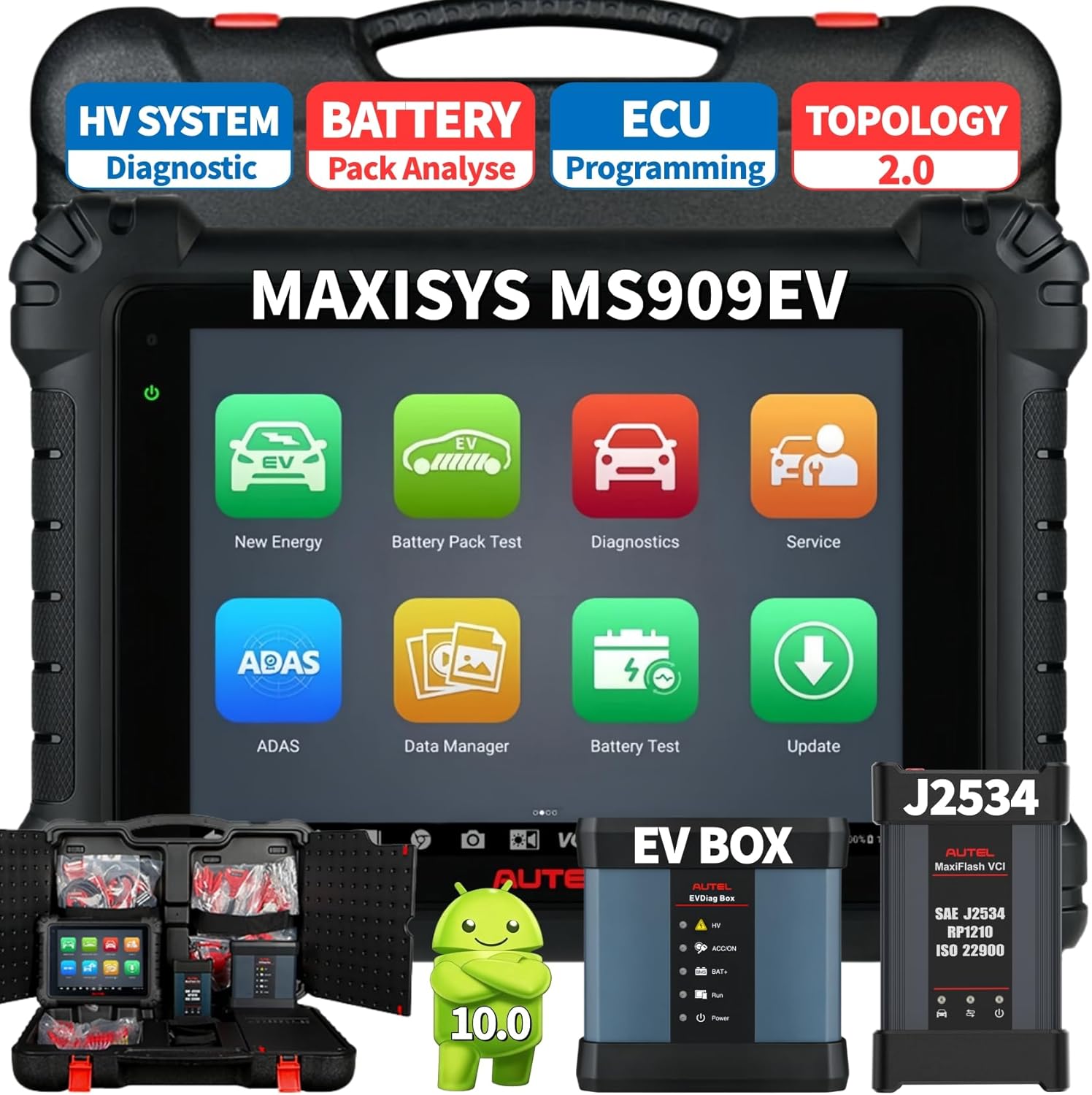
| Specification | Detail |
|---|---|
| Processor | Qualcomm 660 Octa-core (2.2GHz Quad-core + 1.8GHz Quad-core) |
| Operating System | Android 10.0 |
| Display | 9.7-inch TFT-LCD with 1536 x 2048 resolution |
| Memory | 4GB RAM / 128GB Onboard Storage |
| Battery | 15000mAh 3.8V Lithium-Polymer (up to 8 hours) |
| Connectivity | WiFi 5G / Bluetooth / USB / RJ45 |
| Protocols | J2534, D-PDU, RP1210, CAN FD, DoIP |
| Vehicle Coverage | 99% of U.S., European, and Asian vehicles |
If these specs align with your shop’s needs, you can find more details or purchase the Autel MS909 EV diagnostic scanner directly. You can also check our guide on the best Autel scanners for a broader perspective.
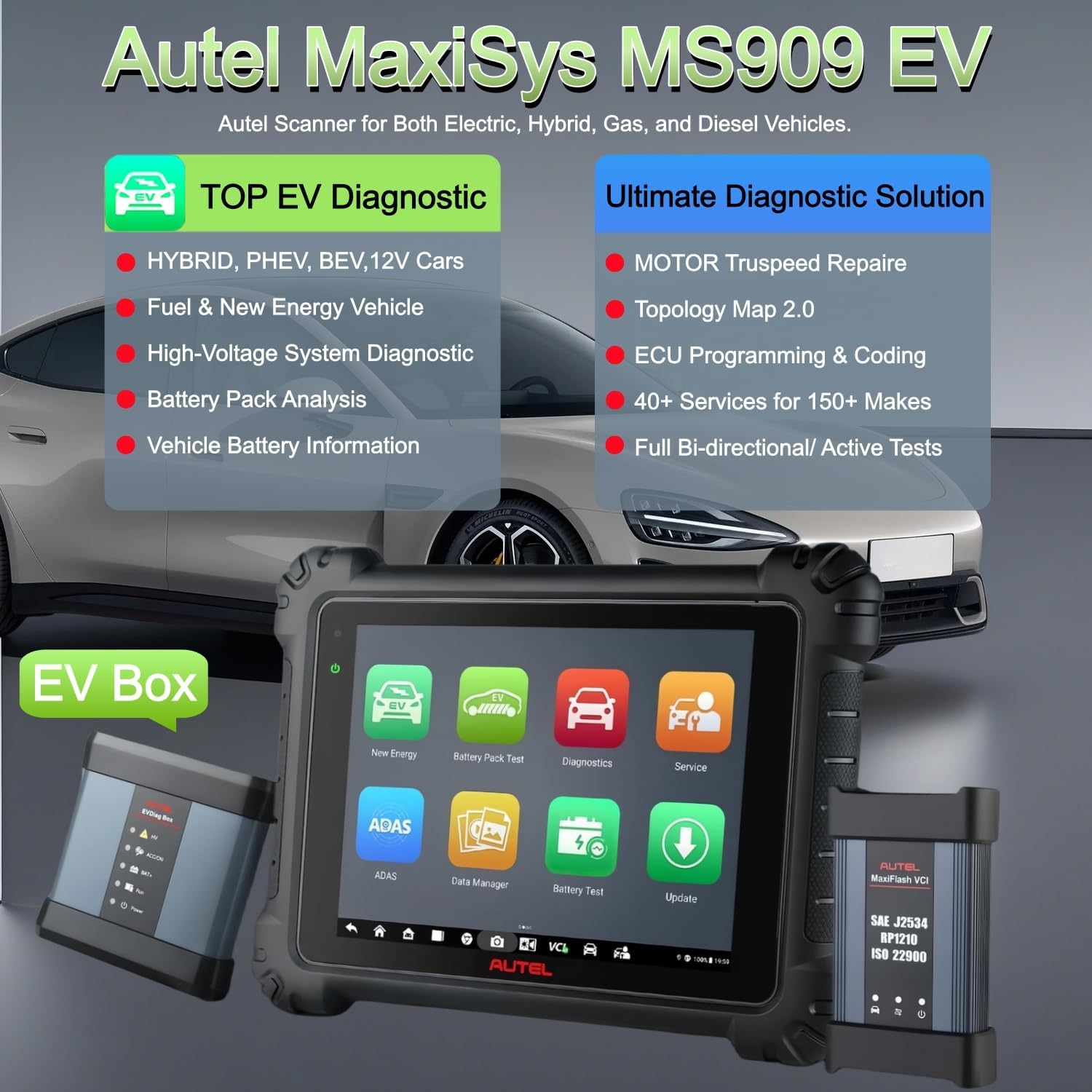
Opening the robust case, you find everything neatly organized. The kit includes the main MS909 tablet, which feels solid with a rubberized grip. The MaxiFlash VCI is a compact yet powerful module, and the EVDiag box is the key hardware for high-voltage work. You also get the specialty cables and jumpers for the battery pack analysis. The package includes a comprehensive set of OBD2 cables, a power adapter, a USB cable, and an RJ45 cable. Autel provides a quick start guide and a warranty card. The build quality of every component is excellent; the tablet screen is bright and responsive, and the connectors feel durable. Everything you need for advanced diagnostics is in this box, no immediate hidden costs.
Getting started with the Autel MaxiSys MS909 EV buy process is straightforward, but mastering its features takes practice. Here is a complete guide to using this powerful tool.
Unbox the tablet and the MaxiFlash VCI. Charge the tablet fully using the included power adapter. Connect the tablet to your shop’s WiFi network. The system will automatically prompt you to update the software. It is crucial you allow these updates to finish completely, as they load the latest vehicle coverage and bug fixes.
Power on the tablet and go through the initial registration process. You will need to create an Autel ID. Pair the MaxiFlash VCI with the tablet via Bluetooth. For a standard vehicle, simply plug the VCI into the OBD2 port. The tablet will automatically detect the connection. Familiarize yourself with the main menu. You will see options for System Scan, Service Functions, and the dedicated EVDiag application.
Start a diagnostic session by selecting “System Scan”. The scanner will create the Topology Map 2.0, showing all modules. Tap on any module to view its DTCs, live data, and active tests. For active tests, you can command components like cooling fans or solenoids to activate. For daily service, use the “Service” menu. Select a function like “Oil Reset” or “EPB Service” and follow the on-screen instructions.
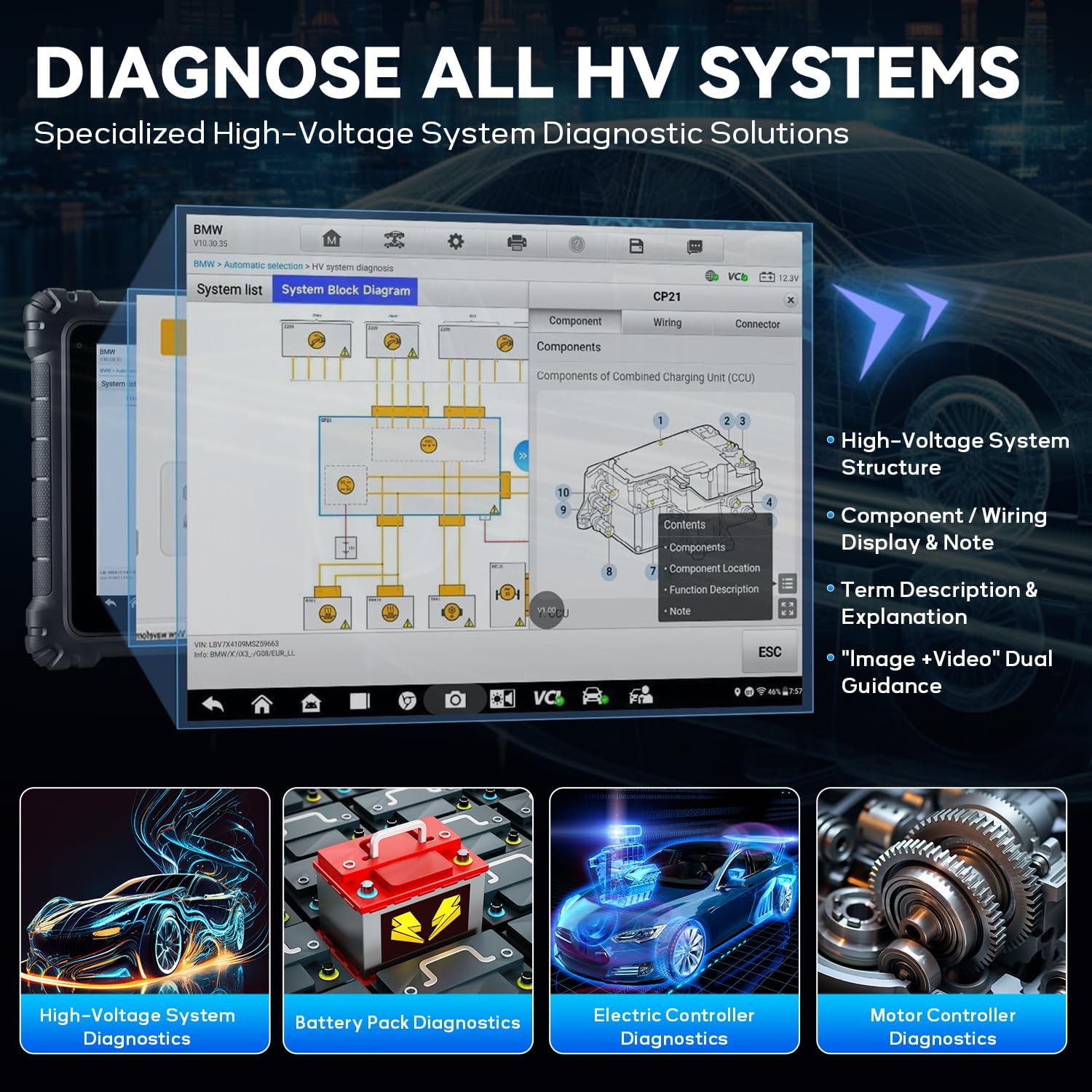
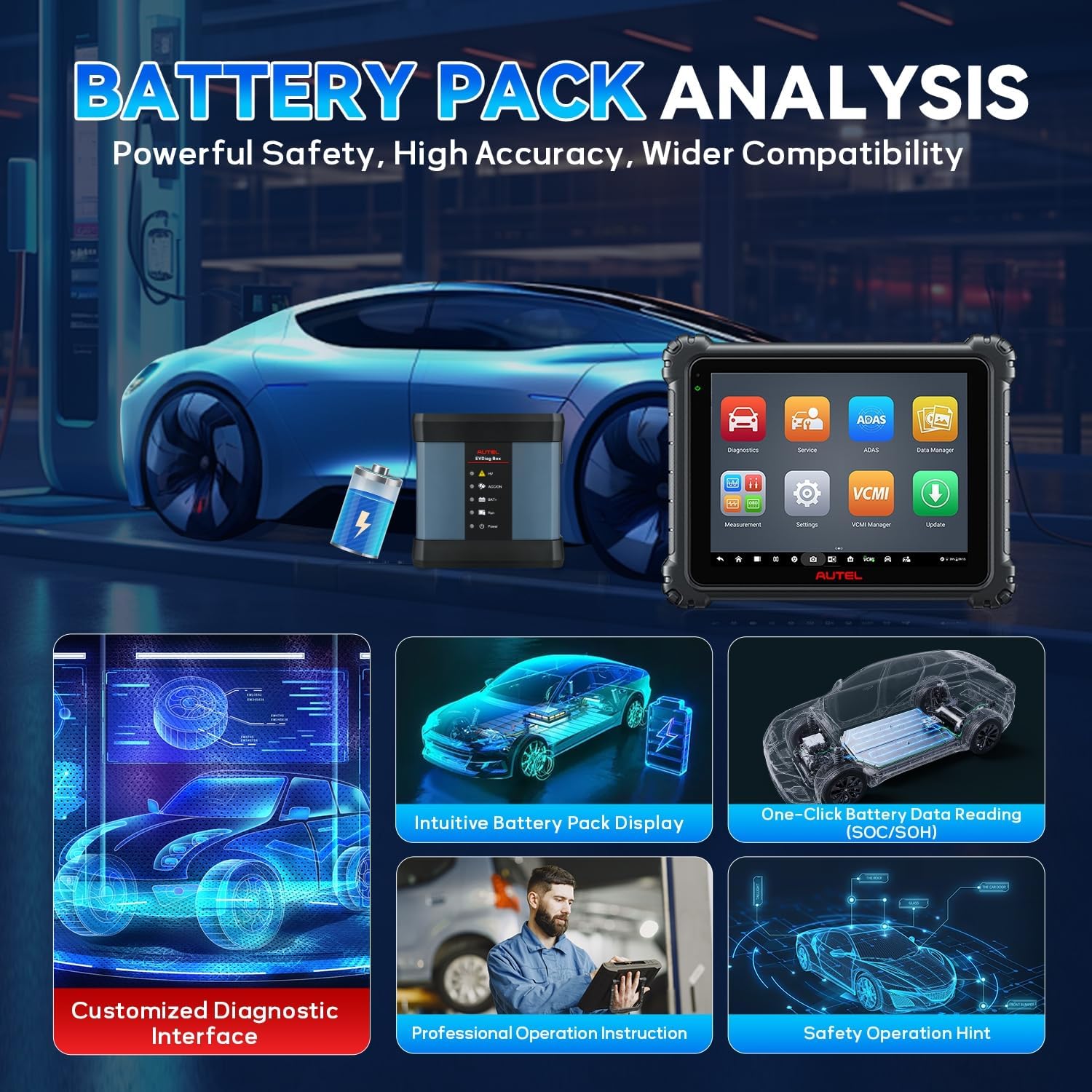
For electric vehicles, navigate to the EVDiag app. Connect the EVDiag box between the vehicle and the battery pack following the detailed graphics on the screen. The scanner will guide you through disconnection steps. Use the “HV System Diagnosis” to view the block diagram. Use the “Battery Pack Analysis” function, connecting the specialty cables to the battery pack terminals. The tool will provide SOC and SOH readings. If you need to program a new ECU, select the “Programming” function. Follow the on-screen prompts for the specific vehicle manufacturer.
After each use, clean the tablet screen with a microfiber cloth. Store the tablet and VCI in the included protective case. Keep the software updated automatically to maintain vehicle coverage. Avoid exposing the scanner to extreme temperatures or moisture.
If the VCI fails to connect, check that it’s properly plugged into the OBD2 port and that the vehicle’s ignition is on. If updates fail, ensure your internet connection is stable. For detailed troubleshooting, Autel provides excellent support. If you encounter a specific error code or programming issue, you can use the scanner’s “Interactive Data Logging” to send a session directly to Autel support.
For additional tips, check out our maintenance guide for the Autel MS909 series. You can also get the tool yourself by clicking this link to purchase the best EV diagnostic scanner.
We used the Autel MS909 EV over a three-week period in a busy independent shop. We tested it on a 2022 Ford Mustang Mach-E, a 2023 Toyota RAV4 Prime, a 2021 BMW 530e, and several standard gas-powered vehicles.
The first thing we noticed was speed. The Qualcomm processor made scanning a 2023 BMW complete in less than a minute. The battery analysis on the Mach-E was exceptional. The ability to see the exact voltage and temperature of each cell module provided a level of detail we had only seen on dealer-level tools like the Bosch KTS series.
We used it to diagnose a battery performance issue on a Mach-E. The tool gave us a clear SOH reading and allowed us to perform an out-of-vehicle analysis. We also used the ECU programming on a 2021 BMW after replacing a DME module. The process was smooth and took about 30 minutes. The Topology 2.0 map was a huge time-saver during a complex diagnostic session on a RAV4 Prime, where a communication fault was immediately visible.
Autel claims this is the same as the Ultra EV in terms of core diagnostic power. We found this to be true. The 40+ service functions all worked flawlessly. The battery pack analysis was exactly as described. The only gap is software support for programming on non-German makes; it relies on J2534 which requires you to have the manufacturer’s own application. This is a standard limitation across the industry.
Thinking about whether should I buy Autel MS909 EV? It is a powerful tool, but requires commitment. For a deeper comparison, check our thoughts on Autel MS909 EV vs Ultra EV.
We compared the MS909 EV to two main rivals: the Snap-on ZEUS+ and the Bosch KTS 590. Here is a comparison table to help you decide.
| Feature | Autel MS909 EV | Snap-on ZEUS+ | Bosch KTS 590 |
|---|---|---|---|
| EV Battery Analysis | Excellent (dedicated hardware) | Good (via OBD only) | Moderate (requires add-on) |
| ECU Programming | Excellent (BMW/Benz + J2534) | Excellent (OEM-level) | Good (J2534) |
| Processor Power | Qualcomm Octa-core | Intel Quad-core | N/A (VCI-based) |
| Screen Size | 9.7 inches | 10.1 inches | N/A (uses tablet) |
| Price | ~$3,799 | ~$5,500 | ~$2,800 (w/ tablet) |
| Topology Map | Yes (2.0) | Yes | No |
| Update Cost | $2,500/year (after 1st year) | ~$3,000/year | ~$1,500/year |
Choose this tool if you work on a mix of EVs and gas vehicles and need a top-tier all-in-one solution without the Snap-on price tag. It excels for shops focused on battery diagnostics and high-end German car programming.
If you are a dedicated Snap-on user and value their ecosystem, the ZEUS+ is a powerful alternative. If your budget is strictly under $3,000, the Bosch KTS 590 paired with a compatible tablet is a strong, albeit less feature rich, option. For more on high-end tools, read our Snap-on ZEUS+ review.
Always download the latest software updates as soon as you set it up. Autel pushes updates that add new vehicle models and fix bugs.
Before diving into specific codes, always run the System Scan and study the Topology Map. It will save you hours of diagnostic time by showing communication issues instantly.
Consider taking a high-voltage safety course before using the EVDiag box. The tool is safe, but you must know how to properly handle an EV battery pack.
Create customer profiles and save all scan results to the cloud. This helps track recurring issues and provides professional documentation for your customers.
For comprehensive vehicle health checks, pair the MS909 EV with the Autel BT506. This allows you to test the 12V battery on hybrids and EVs directly from the tablet.
Consider buying a 2-year or 3-year software subscription upfront if you plan on keeping the tool for a while. It usually saves you money compared to annual renewals.
The current price for the Autel MaxiSys MS909 EV is $3,799 USD. This puts it in direct competition with the high-end tools from Snap-on and Bosch, but it offers a significant discount over Snap-on while providing equal or better EV functionality. For the professional shop, this tool pays for itself in a few months with the ability to take on complex EV repairs and ECU programming.
Autel offers a 1-year manufacturer warranty on the hardware. Their customer support is generally responsive, and the tool itself has an interactive data logging feature that allows you to send diagnostic sessions directly to Autel for troubleshooting. We found their phone support to be knowledgeable about the MS909 EV.
After extensive testing, the best EV diagnostic scanner 2024 is a strong claim, and this tool lives up to it. Its high-voltage diagnostics and battery pack analysis are industry leading. The speed of the processor and the intuitiveness of the Topology Map 2.0 make daily workflow efficient. The pros clearly outweigh the cons for the right user.
We give the Autel MaxiSys MS909 EV a rating of 4.7 out of 5 stars. It is absolutely worth the investment for professional shops that want to future-proof their business for the EV era without compromising on traditional diagnostics. We have no hesitation in recommending it for the shop serious about high-end diagnostics.
The Autel MaxiSys MS909 EV is the gold standard for a modern, mixed-fleet shop, combining advanced EV tools with the raw power to handle the most complex combustion-engine repairs. It is a purchase you will not regret.
Ready to upgrade your shop? Get your own Autel MS909 EV worth buying right now. We would love to hear your experiences with this tool, so feel free to drop a comment below.
Yes, for professional shops. The $3,799 price is justifiable when you consider the time saved on diagnostics and the ability to perform high-value services like battery pack analysis and ECU programming. It pays for itself quickly by unlocking new revenue streams in EV and high-end repair work.
In terms of core diagnostic power and EV capabilities, they are virtually identical. The main difference is often in the included accessories or promotional bundles. The MS909 EV is essentially the same tool with a different package, a key point in the Autel MS909 EV vs Ultra EV debate.
It is moderate. If you are already an experienced mechanic, the interface is intuitive. The main learning curve is around the safe use of the EVDiag box for high-voltage work. You should plan to spend a few hours getting familiar with the Topology Map and software features.
Everything you need for basic and advanced diagnostics is in the box. For a complete shop setup, you might want the Autel BT506 battery tester and the Autel MV105 inspection camera for integrated vehicle health reports. An extra USB cable is always nice to have.
Autel provides a standard 1-year warranty covering hardware defects. Their customer support includes phone, email, and live chat. The scanner itself has an interactive data logging feature to send session data directly to Autel for remote troubleshooting. We found their support to be professional and helpful.
We recommend purchasing from this authorized retailer on Amazon for competitive pricing and authentic products. Buying from Amazon ensures you have a solid return policy and fast shipping.
No, it does not have direct universal programming for all makes. It offers direct online programming for BMW and Benz. For other manufacturers like Ford, GM, or Toyota, it supports J2534 which requires you to have the manufacturer’s original programming application and a valid subscription. This is a standard industry limitation.
Autel pushes software updates very frequently, often several times a month. They include new vehicle models, new features, and bug fixes. The first year of updates is included with the purchase. After that, you need a subscription which costs about $2,500 per year.
Stay Updated with Our Latest Reviews & Guides!
Don’t miss out on expert product reviews, home improvement tips, and exclusive deals. Join our community of smart homeowners and savvy shoppers!
Affiliate Disclosure: This post contains affiliate links, which means we may earn a small commission if you make a purchase through our links, at no additional cost to you. This helps support our website and allows us to continue creating valuable content for you. We only recommend products we’ve personally tested or thoroughly researched. Thank you for your support!






